Personal Showcase
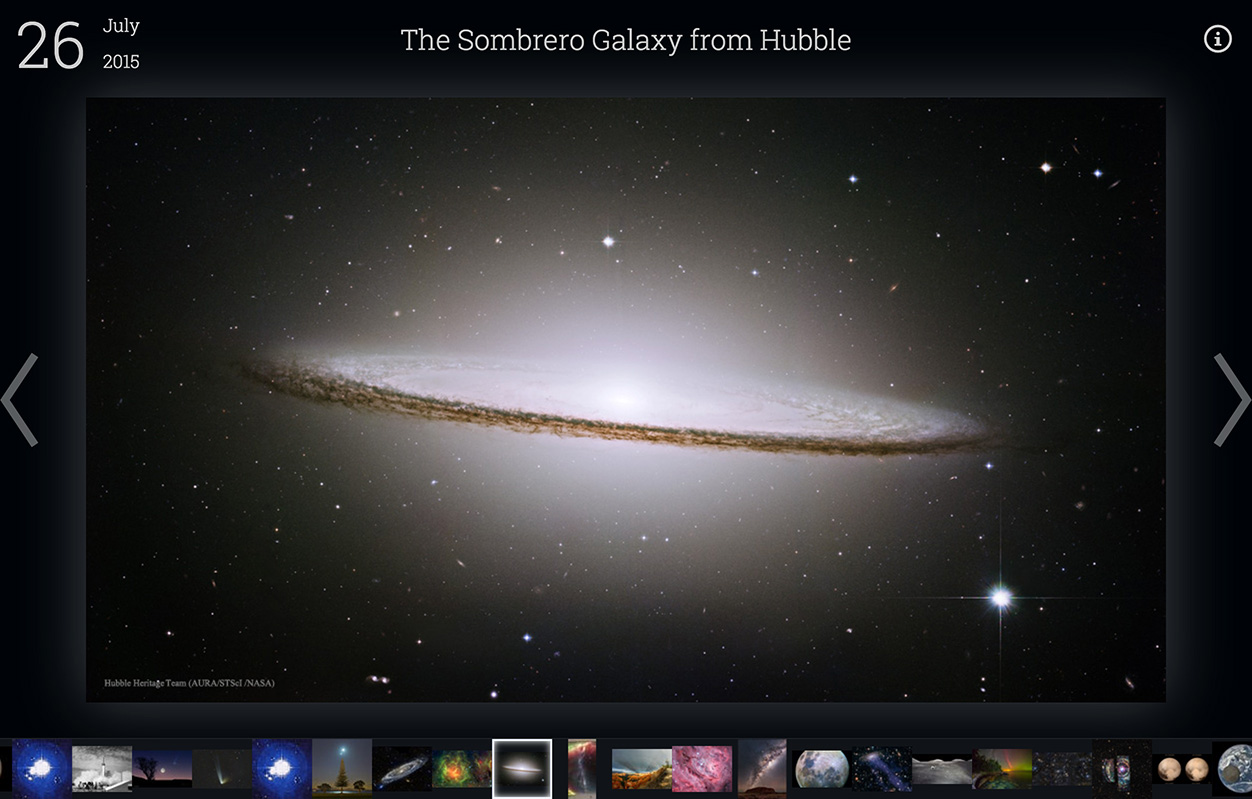
APOD 2.0
View Live
APOD 2.0 is a solo personal design project to update NASA's Astronomy Picture of the Day website for the modern web.
Launched in 1995, apod.nasa.gov serves a new beautiful astronomy picture every day, but the interface was not updated for over 30 years.
My goal was to enhance the user experience and image gallery navigation of APOD. To that end I have modernized it with a scrolling filmstrip, keyboard navigation, asynchronous image preloading, and more.
Read More
APOD 2.0
Updating NASA's website for the modern web.
Released 2016, updated 2026
View Live
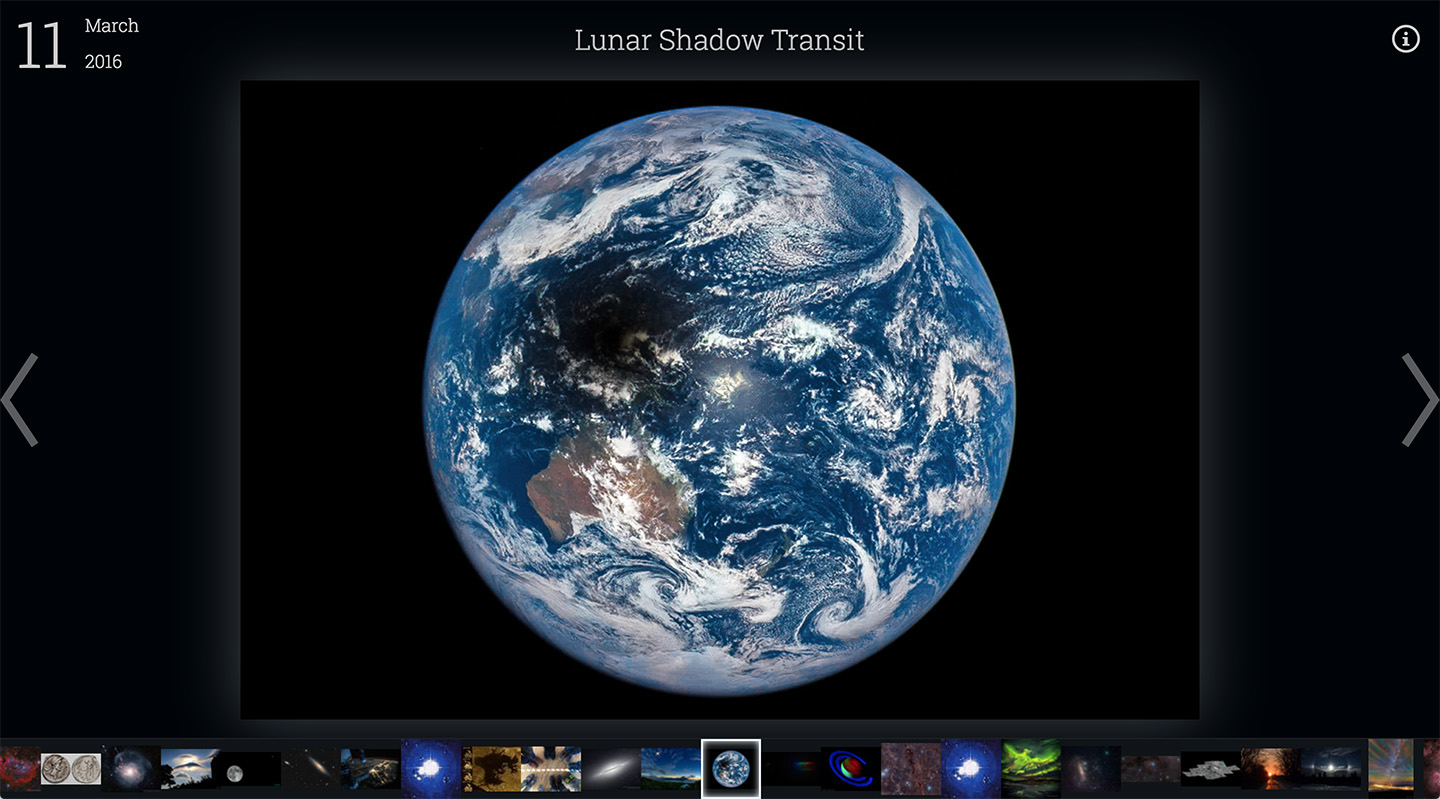
Tech
- React.js
- jQuery
- REST API
Roles
- Project Manager
- UX Designer
- Programmer
Client
- Personal Project
Ask any space, science, or astronomy enthusiast about NASA's Asronomy Picture of the Day and they will probably gush about it. Launched in 1995, APOD has served the public with a new beautiful astronomy-related picture every day for the last 21 years. APOD is one of the most popular government websites, drawing over 1.5 million visitors per month.
For being such a beloved government service, the visual design and UI of Astronomy Picture of the Day is outdated to say the least. The interface has not been significantly updated in decades, and visiting the site is like going back to a time when dial-up modems ruled the land and Google hadn't been invented yet.
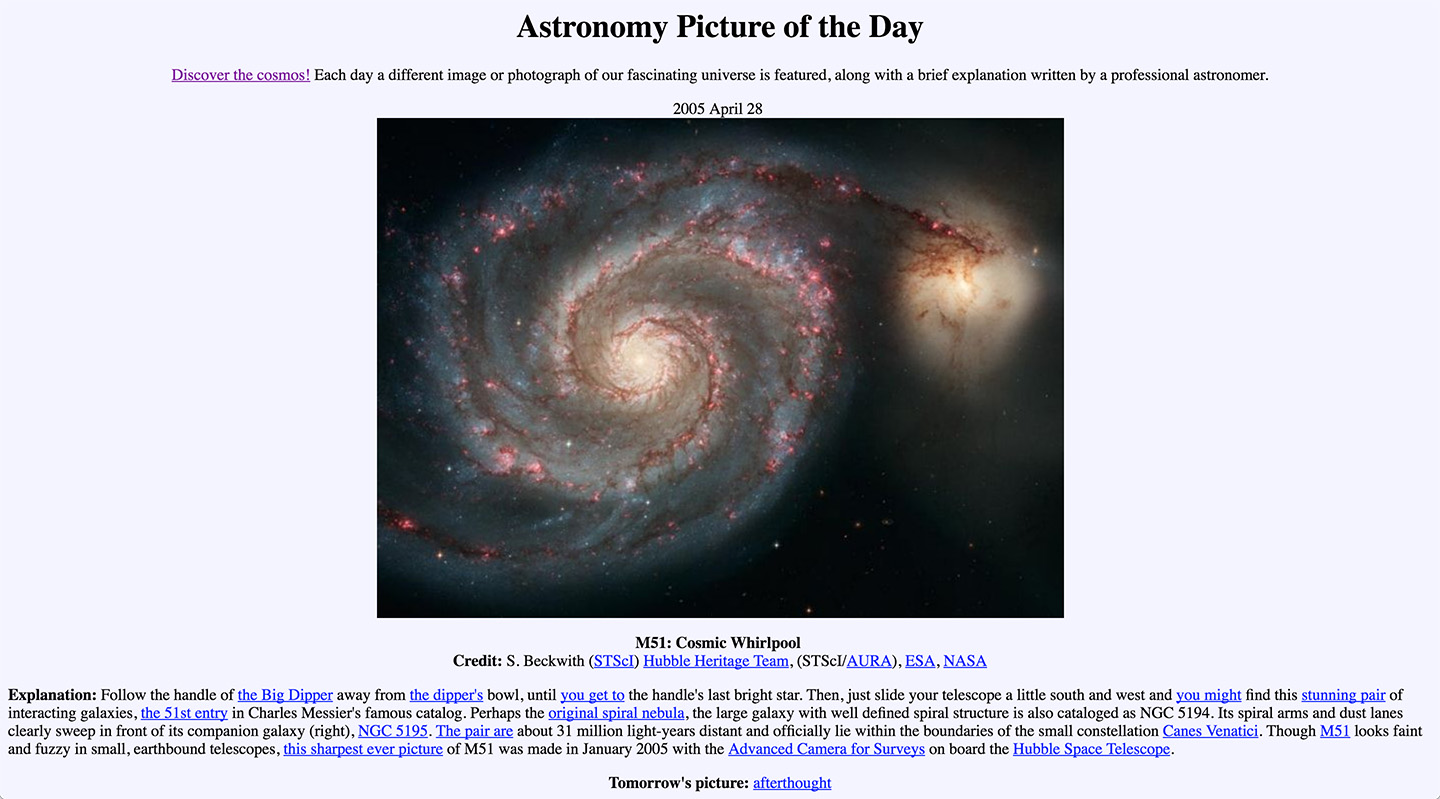
I decided to apply my skills as a UX designer and frontend developer to update the APOD website for the modern web. My goal was to make browsing the image gallery more streamlined, intuitive, and accessible. I call my new and improved version "APOD 2.0". Many improvements have been made, including:
- Dark color scheme better showcases space imagery
- Keyboard arrow key navigation enables rapid browsing
- Scrollable filmstrip gives a preview of dozens of images
- Intelligent image preloading increases speed
- Dropdown selection makes it easy to select a specific date
- Nonessential info is hidden in hover states to keep focus on the imagery
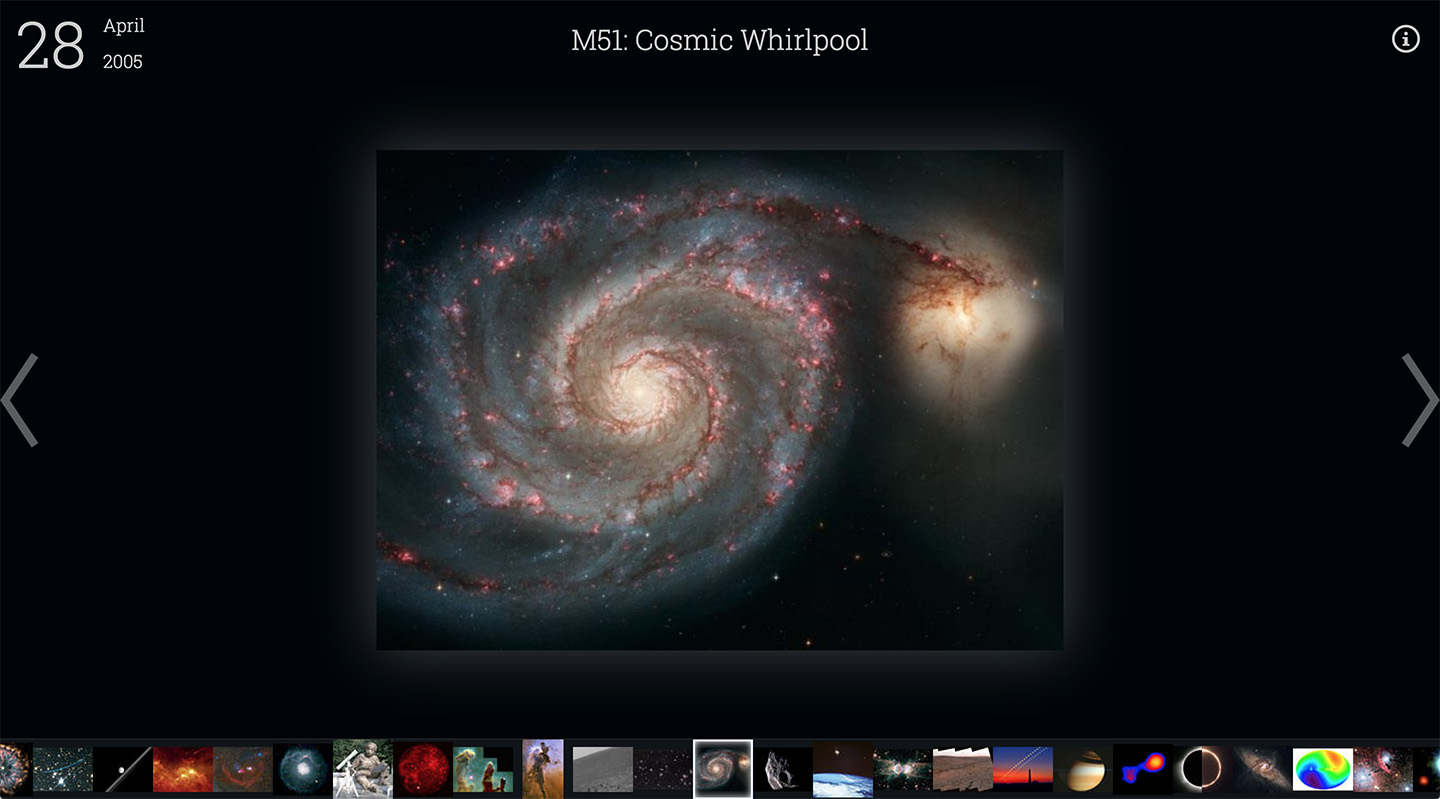
The heavy lifting in the project is done by React.js, Facebook's amazing UI library. I chose React.js because it let me easily encapsulate interactive components like the filmstrip, thumbnails, and date picker. jQuery was also used for its convenient AJAX capabilities, and GreenSock Animation Platform (GSAP) provides some animation muscle.
Special thanks goes to NASA for making their APOD API public, without which this project would not be possible.
APOD 2.0 is open source under the GNU GPL 3.0 license, and is available on github.com. It is an ongoing project which I am constantly trying to improve upon. Future feature TODO list includes search, tagging, slideshow, and alternate navigation modes.
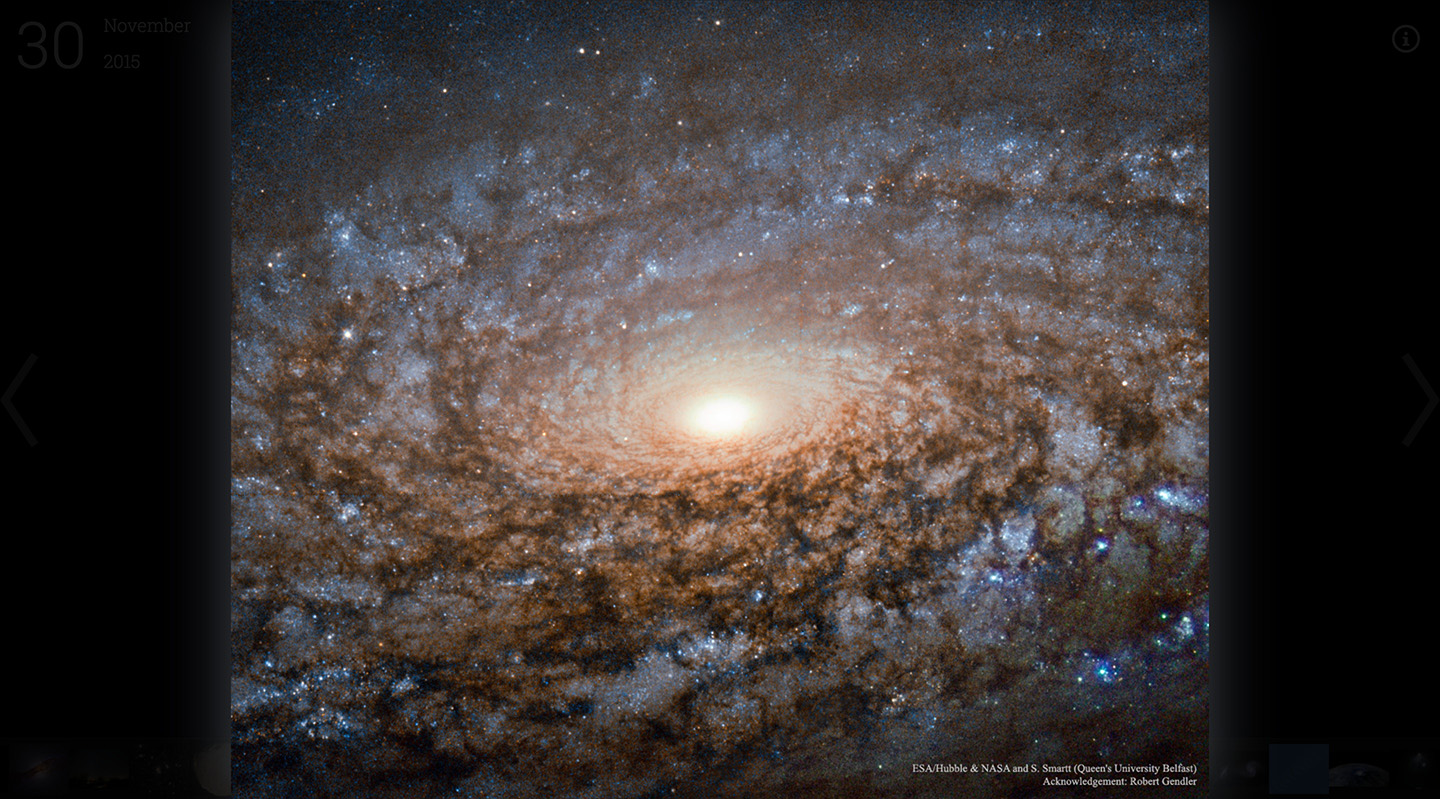
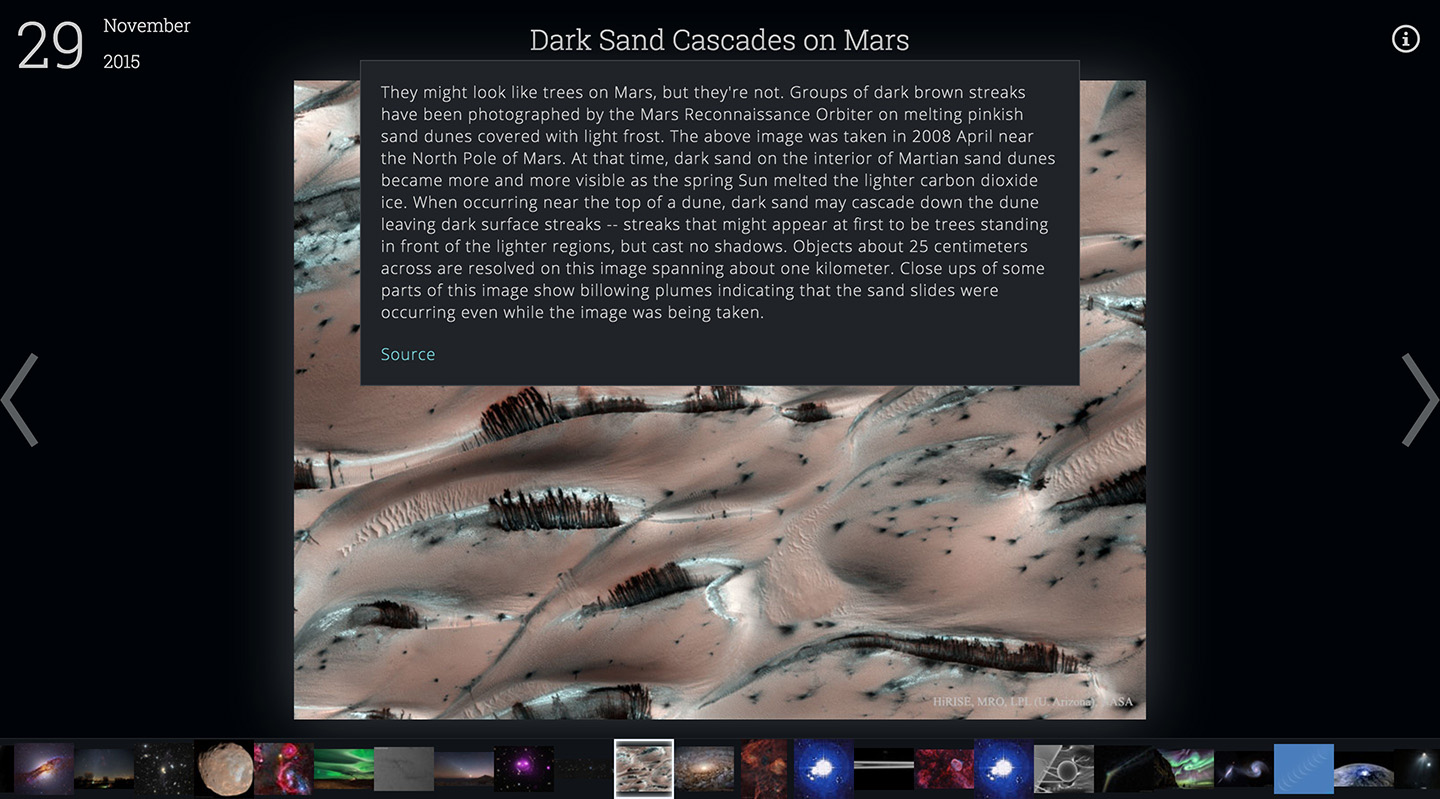
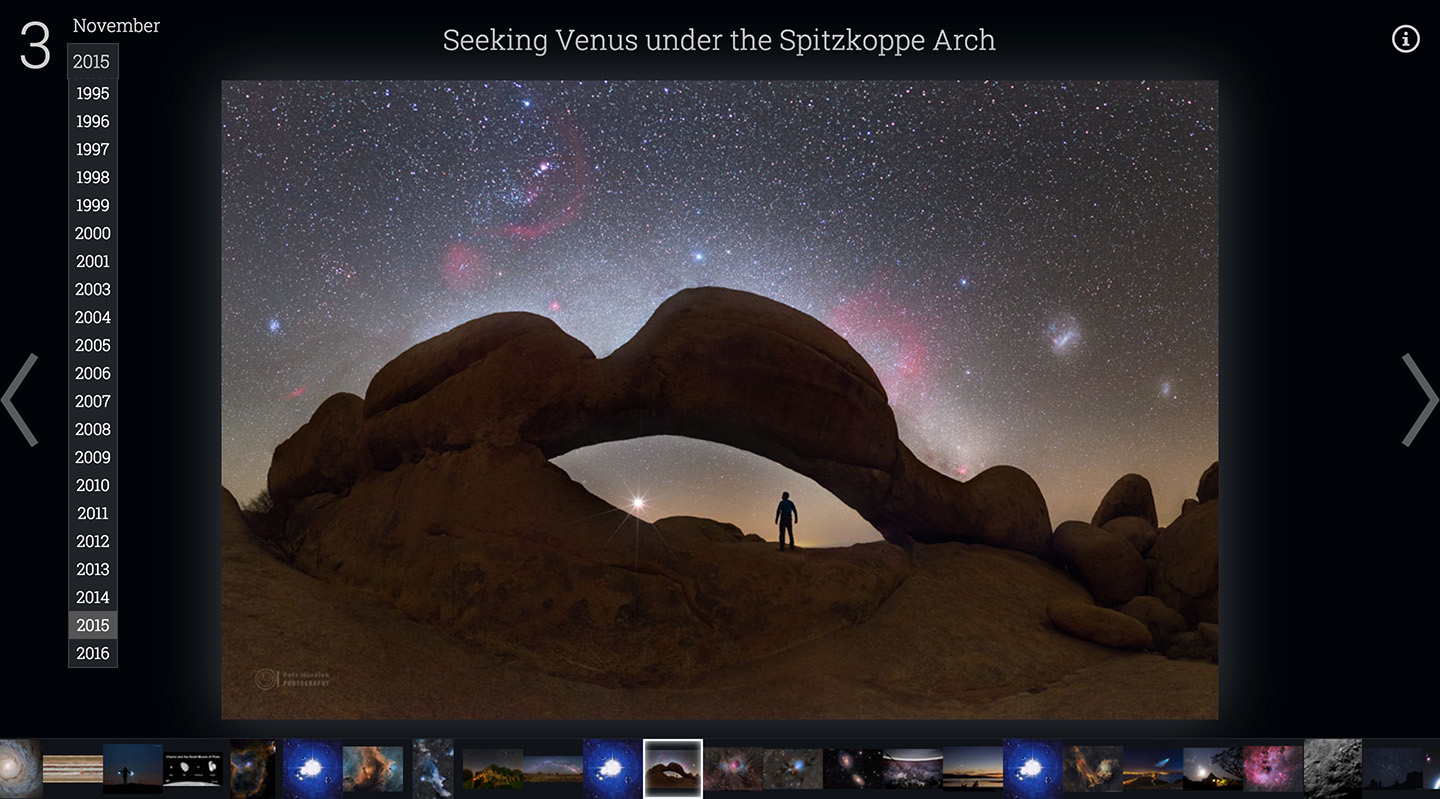
2026 Update
After 30 years of service, in September of 2026, NASA finally updated their APOD website to a new, clean, more modern look. While this did not entirely render APOD 2.0 obsolete, unfortunately NASA also deprecated the old API I used for this project. In November 2026 I revisted this project to fix breaking issues and ensure it continues to serve as a (now rather historical) showcase of my work and to serve the public.
- Updated to the new NASA APOD API for data fetching
- Updated NPM dependencies to modern versions
- Added automatic deployment to Firebase via GitHub Actions
Past Partnerships



Skills
- JavaScript/TypeScript
- React
- HTML
- CSS
- Node
- GraphQL & Apollo
- Design Systems
- Accessibility & WCAG
- CI/CD
- Unit & E2E Testing
- Prototyping
- UX Design
- Webpack
- NPM
- Git
- Storybook
- Figma
- A/B Testing
Favored Tools
Contact

Jered Danielson is a design engineer, leader, prototyper, mentor, designer, maker, problem solver, and University of Washington graduate currently residing in Seattle, WA.